About rclone & sign-in
SyncThemAll is built on rclone, a widely used, trusted engine for moving files between cloud storage services. rclone does the heavy lifting of talking to each provider; SyncThemAll gives it a fast desktop interface, accounts, and sync on top.
Why does the sign-in screen say "rclone"?
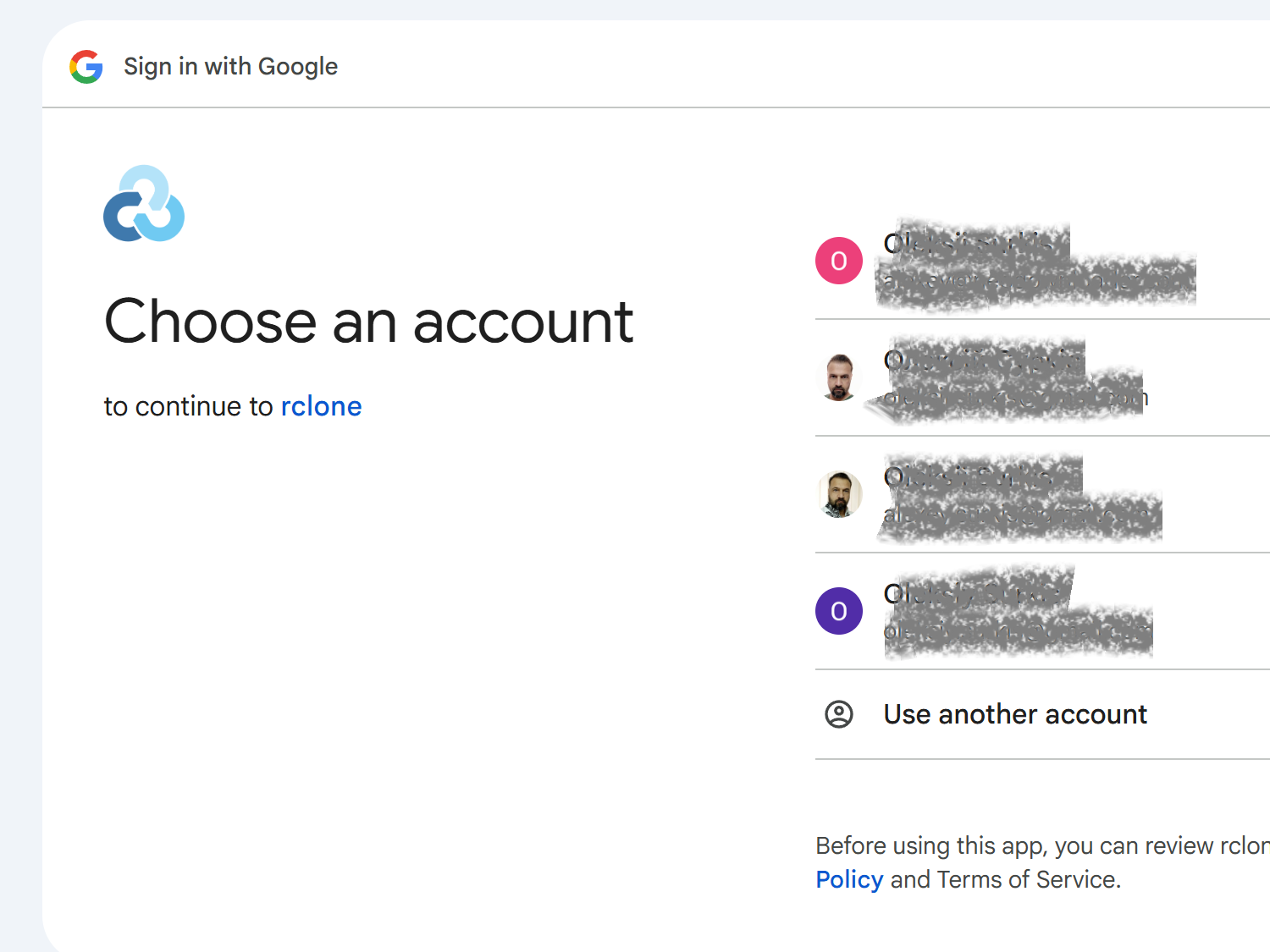
When you connect Google Drive, Dropbox, or OneDrive, the provider's sign-in screen may say something like "rclone wants access to your Google Drive." This is expected.
SyncThemAll connects to your cloud through rclone's built-in integration, so the provider shows rclone's name on the consent screen rather than SyncThemAll's. Nothing is being handed to an unknown third party — you're authorizing the same engine that runs inside the app you installed.
Is it safe?
Yes. Signing in this way uses the standard OAuth flow, and the connection stays between your computer and your cloud provider:
- Your access token is stored locally, on your own machine, in your SyncThemAll configuration. It is never sent to Neowise or SyncThemAll servers.
- Transfers go directly between your device and your clouds — and, for cloud-to-cloud, between the providers themselves. Your files never pass through our servers.
- We never see your password. With OAuth you sign in on the provider's own page; SyncThemAll only receives a revocable access token, never your credentials.
Revoking access
You can disconnect at any time. In your cloud provider's account security settings — for example Google's Third-party access or Dropbox's Connected apps — the connection appears as rclone. Remove it there and access is revoked immediately. You can also remove the account inside SyncThemAll.
What is rclone?
rclone is a mature, open-source tool trusted by millions to move data between a wide range of cloud and storage services. Because it's open and widely audited, it's a solid foundation to build on: SyncThemAll uses it as its transfer engine, so you get battle-tested reliability with a friendly interface on top.
See also: Accounts — connecting and managing your clouds.